AI To-Do Checklist: Self-Organizing Daily Plan
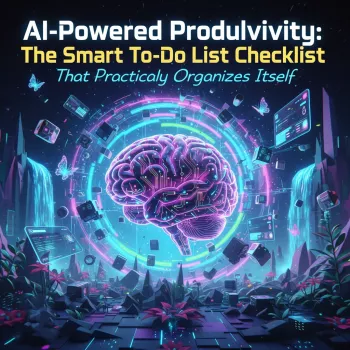
AI-Powered Productivity: A Smart To-Do Checklist That Organizes Your Day for You
A to-do list should reduce mental load, not add another layer of decisions. A self-organizing, AI-assisted checklist system turns scattered tasks into a clear plan by helping you group, prioritize, and sequence actions—so the next step is obvious. This approach works especially well with a simple digital template you can reuse daily: capture everything fast, let AI help structure the list, and finish the day with fewer loose ends and less “What should I do next?” friction.
What “self-organizing” looks like in a real week
“Self-organizing” doesn’t mean your tasks magically complete themselves. It means the system makes choices easier by transforming a messy input into a workable plan you can trust.
- Capture first, organize second: dump tasks into one place without stopping to plan.
- Turn vague items into next actions: “Work on website” becomes “choose homepage headline,” “collect 3 testimonials,” and “publish draft.”
- Group by context: cluster computer tasks, calls, and errands to reduce switching costs.
- Light prioritization: identify what must happen today, what can move, and what should be deleted.
- A realistic “today list”: a short set you can actually finish, not an aspirational wish list.
Who benefits most from an AI-assisted checklist system
- Entrepreneurs: converts big goals (launches, sales, ops) into a daily execution list that fits real time blocks.
- Students: breaks assignments into steps, schedules study sessions, and reduces last-minute scrambling.
- Busy creators: manages parallel projects (content, clients, personal admin) without losing deadlines.
- Anyone with task overwhelm: reduces decision fatigue by clarifying priority and sequencing.
- People building routines: supports weekly reviews and recurring tasks (invoices, meal prep, batching).
Research and workplace guidance consistently point to the value of dependable systems and planning habits for execution and stress reduction. For additional context, see guidance on systems from Harvard Business Review and stress-and-coping resources from the American Psychological Association.
A simple workflow: capture → clarify → organize → execute → review
This workflow is designed to be fast enough to use on busy days and structured enough to prevent your list from turning into a junk drawer.
- Capture (2–5 minutes): write every task, idea, and obligation in one list; don’t sort yet.
- Clarify (5–10 minutes): rewrite unclear items into concrete verbs and define what “done” means.
- Organize (5–10 minutes): categorize by project and context, then identify dependencies.
- Execute (throughout the day): choose tasks based on time, energy, and urgency—then focus on one at a time.
- Review (5 minutes daily, 20 minutes weekly): migrate unfinished items, delete low-value tasks, refresh priorities.
Workflow checkpoints and what to ask
| Step | Goal | Quick question to ask |
|---|---|---|
| Capture | Get everything out of your head | What am I holding in mind that could be written down? |
| Clarify | Make tasks actionable | What is the very next physical/visible action? |
| Organize | Reduce chaos and duplicates | Which project does this belong to, and what’s blocked? |
| Execute | Finish the right work first | What can I complete in the next 15–30 minutes? |
| Review | Keep the system trustworthy | What should be rescheduled, delegated, or deleted? |
How to use AI to turn a messy list into a plan
AI works best here as a sorting-and-clarifying assistant, not a replacement for your judgment. The goal is to remove busywork (rewriting, clustering, estimating), so you can focus on execution.
- Start with a raw dump: paste your brain-dump list into an AI tool and ask it to cluster items by theme or project.
- Request next actions: ask it to rewrite each item into an action verb plus a clear finish line.
- Ask for sequencing: identify dependencies and suggest an order that avoids bottlenecks.
- Add time estimates: generate rough durations, then adjust based on your actual pace.
- Create a “Today” set: ask for a realistic shortlist based on available hours and energy.
- Keep control: accept what matches your goals; delete or downgrade tasks that don’t.
A helpful mindset is usability: a planning tool should fit how humans actually work, especially under time pressure. For a broader perspective on human-centered considerations, explore resources from NIST.
Make it stick: templates, routines, and guardrails
The biggest upgrade isn’t a bigger to-do list—it’s a repeatable structure that stays usable on hectic days.
Common mistakes that make to-do lists stressful
Digital download setup: quick start for the first 30 minutes
If you want a ready-made structure, the AI-Powered Productivity: The Smart To-Do List Checklist That Practically Organizes Itself is a simple digital download designed for capture, clarification, and a clean daily shortlist.
For extra capture support, a quick voice note can be useful when you’re away from your desk. Consider pairing your planning routine with a simple audio tool like the Mini 8GB Voice Recorder Digital Audio MP3 Player USB Pen with Earphones. If you prefer a touchscreen device for playback and review, the Bluetooth MP3 MP4 Player with 4.0″ Touchscreen can help you revisit quick notes during a daily review.
FAQ
Is this checklist only for entrepreneurs, or can students use it too?
Students can use the same capture → clarify → organize flow to break assignments into steps, plan study sessions, and track deadlines alongside personal tasks. The structure is flexible enough to handle classes as “projects” and exams as time-bound priorities.
Does it work with different apps and devices?
Yes—because it’s a digital download, it can fit into many common planning setups. The key is choosing one primary place to keep the master list and doing consistent daily and weekly reviews so nothing slips through.
How does AI help without taking over the planning?
AI handles the mechanical parts—grouping similar items, rewriting vague tasks into next actions, suggesting rough time estimates, and proposing an order based on dependencies. You still choose what matters, what moves to later, and what gets deleted.






Leave a comment