EV Charging Checklist: Home, Public, and Fast-Charge Tips
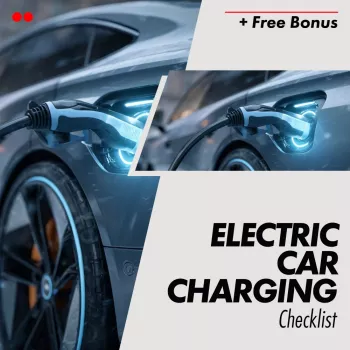
Electric Car Charging Checklist – Charging Your EV Like a Pro
Charging an EV is simple once it becomes routine—but small oversights (a wet connector, a loose plug, an app that didn’t authenticate) can waste time or create avoidable wear. Use the checklist below to charge confidently at home and on the road, with practical safety steps, connector basics, cost-saving habits, and a quick reference for common charging speeds and scenarios.
Before Plugging In: Quick Safety and Readiness Check
- Confirm the charge port area is clean and dry; remove snow, ice, or debris before connecting.
- Inspect the cable and connector for cracks, bent pins, discoloration, or exposed wiring; do not use damaged equipment.
- Check the outlet/EVSE area for heat, burning smell, loose plugs, or tripped breakers; address electrical issues before charging.
- Keep charging cords out of walkways and avoid pinching under garage doors or vehicle tires.
- For rain: charging is designed to be weather-resistant, but avoid standing water and ensure connectors fully seat and latch.
Know the Basics: Charging Levels, Connectors, and What They Mean
Charging “speed” depends on three things working together: the charger’s power output, your EV’s acceptance rate, and battery conditions (especially temperature and state of charge). Choose the right tool for the job—slow and steady at home, faster charging on travel days.
- Match charger type to your needs: slower charging for overnight, faster charging for road trips and quick top-ups.
- Identify your vehicle’s port and the site’s connector: J1772 (Level 2), CCS (DC fast), NACS (Tesla-style), and CHAdeMO (older DC fast on select models).
- Understand that battery temperature, state of charge, and charger power all affect real-world charging speed.
Charging Levels at a Glance
| Charging type | Typical power | Best for | What to expect |
|---|---|---|---|
| Level 1 (120V) | 1–2 kW | Backup/low-mileage daily use | Slowest option; adds a small amount of range per hour |
| Level 2 (240V) | 6–12 kW (varies) | Home overnight + destination charging | Good daily solution; steady, predictable replenishment |
| DC fast charging | 50–350 kW (site and vehicle dependent) | Road trips and quick mid-day charging | Fastest; speed tapers as the battery fills |
Home Charging Setup Checklist (Once) and Daily Routine (Ongoing)
Home charging is where convenience and cost savings stack up. If Level 2 is on the plan, start with the electrical basics and build a routine that protects the plug, cable, and battery.
- Confirm electrical capacity: evaluate panel space, amperage, and wiring; plan for a dedicated circuit for Level 2.
- Choose charging location: consider cable reach, weather exposure, lighting, and where the car typically parks.
- Set a target charge limit in the vehicle/app for daily use (often 70–90% depending on manufacturer guidance).
- Use scheduled charging when possible to align with off-peak rates and to precondition the cabin while plugged in.
- Daily routine: park, check connector condition, plug in fully until it clicks/locks, verify charging starts in the app or on the vehicle screen.
If you prefer a ready-to-print version of these steps, Electric Car Charging Checklist – The Ultimate Guide to Charging Your EV Like a Pro is a quick reference you can keep on your phone or in the garage.
Public Charging Checklist: Before Arrival, At the Station, and Before Leaving
Public charging gets easier when you treat it like a short process: confirm compatibility, authenticate cleanly, verify power is flowing, then end the session correctly to avoid fees.
- Before arrival: filter stations by connector type, power level, and availability; confirm recent check-ins or reliability notes when available.
- At the station: park within reach without stretching the cable; avoid tight bends that strain the connector.
- Authenticate first if required (app, RFID, card), then connect firmly; follow on-screen prompts.
- Confirm charging starts: look for rising kW, estimated time, or session status; if it fails, stop session, reseat connector, and retry.
- Before leaving: end the session properly, stow the cable, check for idle fees, and verify the charge port door is closed.
Tip for frequent travelers: keeping a simple log of charger reliability and typical stop durations can save time later. If you like capturing quick notes hands-free, the Mini 8GB Voice Recorder Digital Audio MP3 Player USB Pen with Earphones is a convenient way to record “stall 3 was slow” or “this site had shared power” while you get back on the road.
Fast Charging Like a Pro: Speed, Heat, and Taper Management
Cost and Convenience Checklist: Rates, Fees, and Habits That Add Up
For deeper background on home and public charging options, these references are helpful: Alternative Fuels Data Center (AFDC) — Charging Electric Vehicles, U.S. Department of Energy — All-Electric Vehicles, and U.S. EPA — Electric Vehicles.
Troubleshooting Checklist: When Charging Won’t Start or Is Too Slow
Printable Checklist for Everyday Charging and Road Trips
FAQ
Is it OK to charge an EV to 100% every day?
For many EVs, frequent 100% charging isn’t ideal for long-term battery health. A daily limit (often around 70–90%, depending on manufacturer guidance) is typically recommended, saving 100% for trips or when the automaker specifically advises it.
Why does DC fast charging slow down near the end?
DC fast charging tapers because the battery management system reduces power as state of charge rises to protect the battery. Temperature, station limits, and your vehicle’s maximum acceptance rate can also lower speeds near the top.
What should be checked if a public charger won’t start a session?
Confirm the connector is fully seated and latched, the plug type matches your vehicle, and any authentication step (app/RFID/card) is completed. If it still fails, stop and restart the session, try another stall, and contact station support if the issue persists.





Leave a comment